How It Works
Get your storefront live in three steps.
Pony Up lets podcast creators sell episode bundles directly to their audience — no middleman, no subscription required. Follow these three steps to get your storefront live.
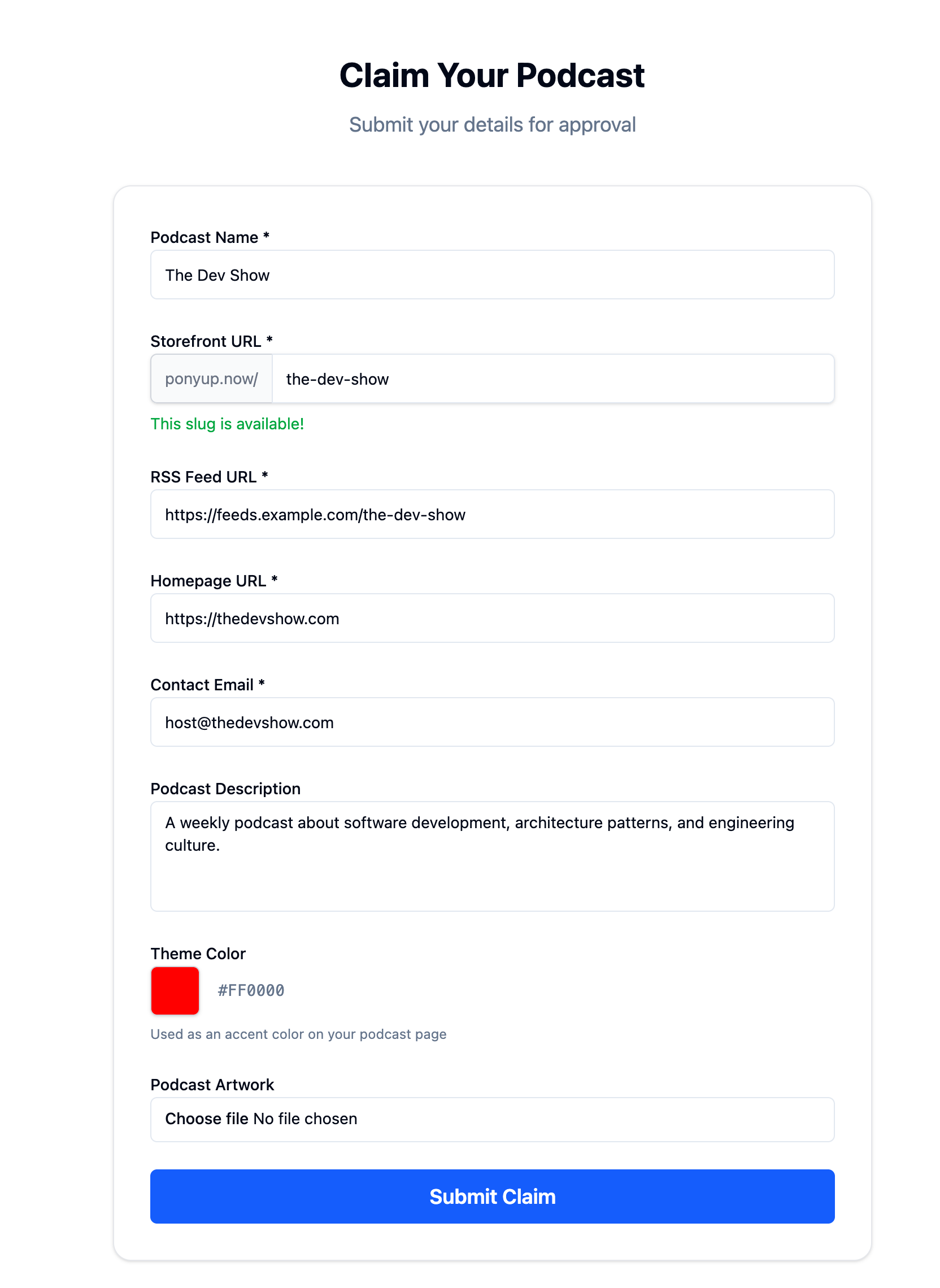
Claim your podcast
Go to /claim-podcast and sign in (or join the waitlist if you're new).
Enter your podcast name and choose your storefront URL — this is your unique address on Pony Up: ponyup.now/your-podcast.
Add your RSS feed URL, homepage URL, and contact email so we can verify you.
Optionally upload podcast artwork, add a description, and pick a theme color for your storefront.
Tick the box to confirm you're 18 or over, authorised to claim the podcast, and agree to the Creator Terms.
Submit your claim — we'll review and approve it, usually within 48 hours.
Upload your first bundle
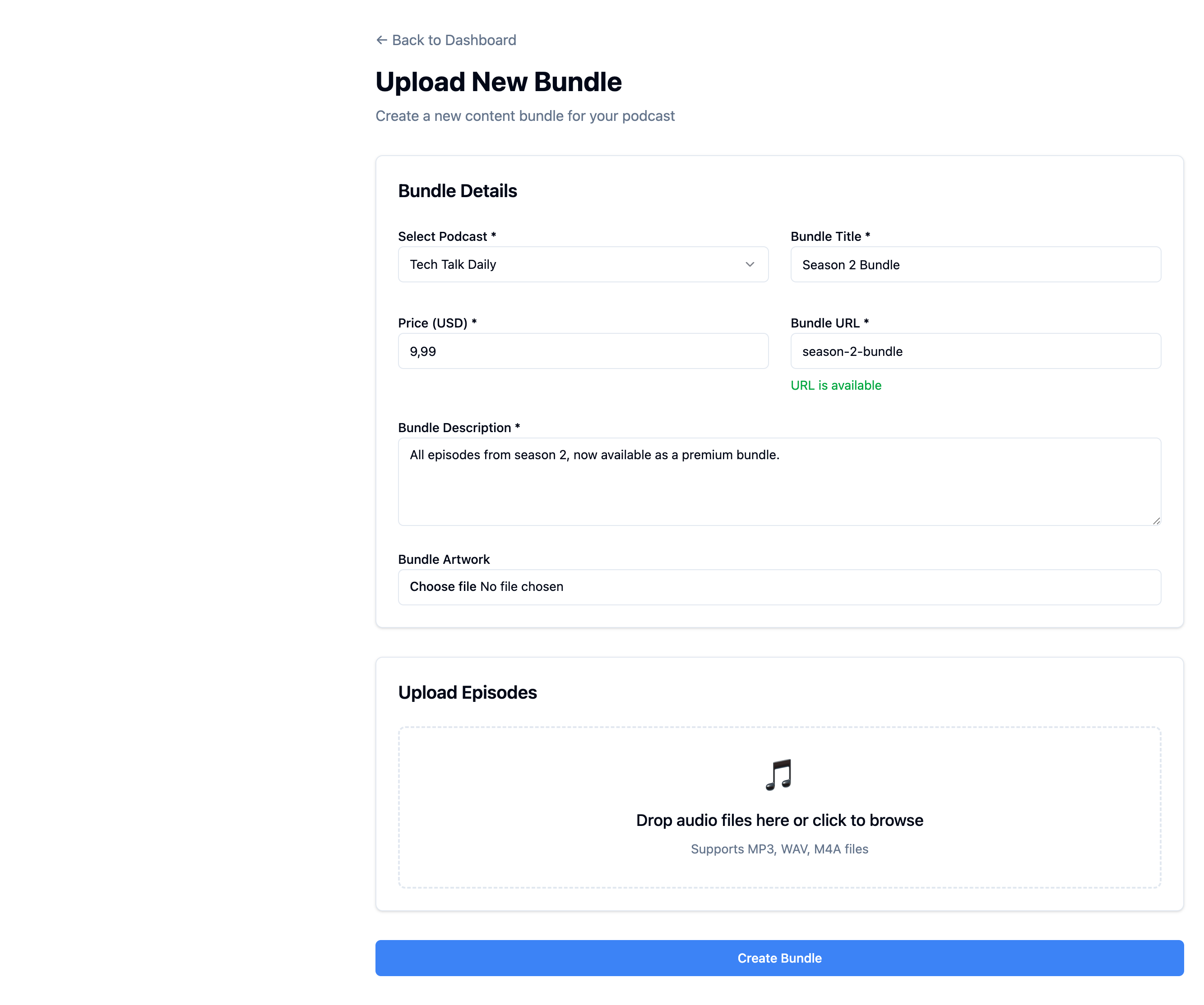
Once your podcast is approved, head to your dashboard and click "Upload Bundle."
Select your podcast, then add a bundle title, description, artwork, price, and URL.
Drag and drop your episode audio files — you can set a title, description, and order for each one.
Tick the box to confirm you hold the rights to the content you're selling.
Click Create Bundle. Your bundle is live instantly.
Share and earn
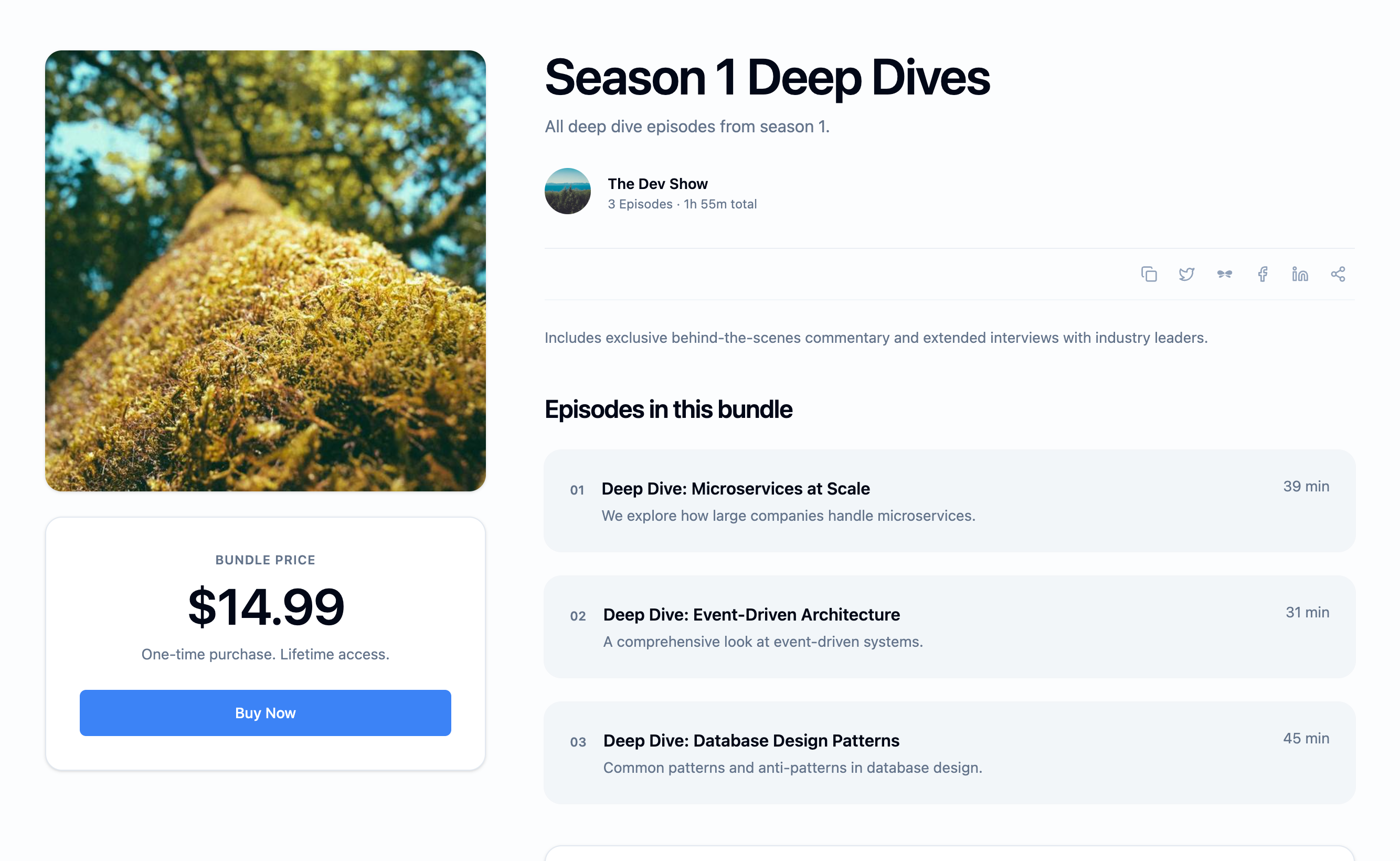
Share your storefront link — listeners can browse and buy your bundles with one click.
After Stripe's card processing fees and Pony Up's 15% platform fee, you keep over 80% of each sale. Payouts go directly to your connected Stripe account.
Buyers get instant access and a private RSS feed they can add to any podcast app.